To spend the boring time, I started to learnt how to edit the video in adobe premier pro. First I tried myself, but I cant understand it, then I learnt from a youtube. Now I am at beginner level and I joined a free udemy course to master it.
Author: 1chandru1
Google Maps – Final day
This week, I was working on creating a app which store the location of our family members. Today, I completed and when I worked on it, not even a single time the app worked but I did the same as the instructor. After working for more than 3 hour, I searched help on backendless website. Then I finally found that geolocation were disabled in the website. Since I use backendless to store the data online, the app didn’t worked.
However, I learnt how to find our current location. This is the last topic in android studio course but I need to know more about developing an app like chat system, music player and so on.
Google Maps – Day 1
After a long time, I started to learn how to create a google map application where we can share our own location as well as our family location. I started by creating a layout for the map and toast a permission to the user to access their location using GPS. Once the permission is granted, then we can proceed with sharing the location.
Assignments
Last few days, I was working on the assignments. One of the assignment is to create a website by using a already existing templates. I completed it with the google site and few assignment is to write and present it.
Google maps
Today, I learnt how to move the camera position to a particular area. Then how to change the icon instead of the pointer and I included zoom in and zoom out options as well as compass. To move the camera to a particular are, we should know the latitude and longitude of the position.
Introduction to Google maps
Today, I started the last topic of the andriod course which is the google maps. I learnt how to get an API for the map and to implement in the andriod studio. The also I made a simple map in which we can choose the type of the map we want. I included normal view, satellite view, hybrid view and terrain view.
Contact App
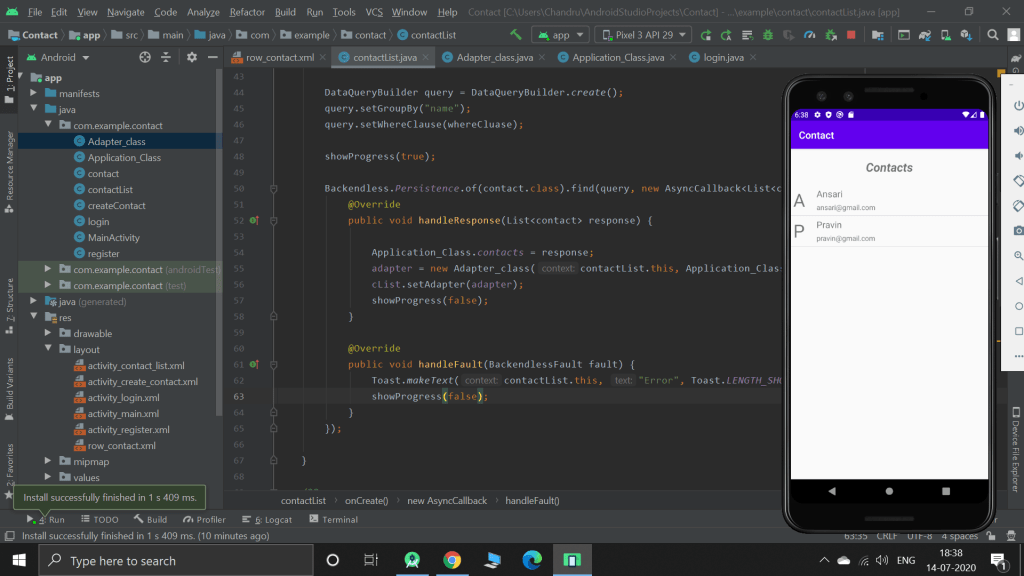
It took 3 days to complete this app and finally I completed it today. I included functions like registering as a new user, login and reset the password. To avoid logging in the app everytime when the user open, I used isValidate function so that the user can directed to the contact list without re-entering the password.
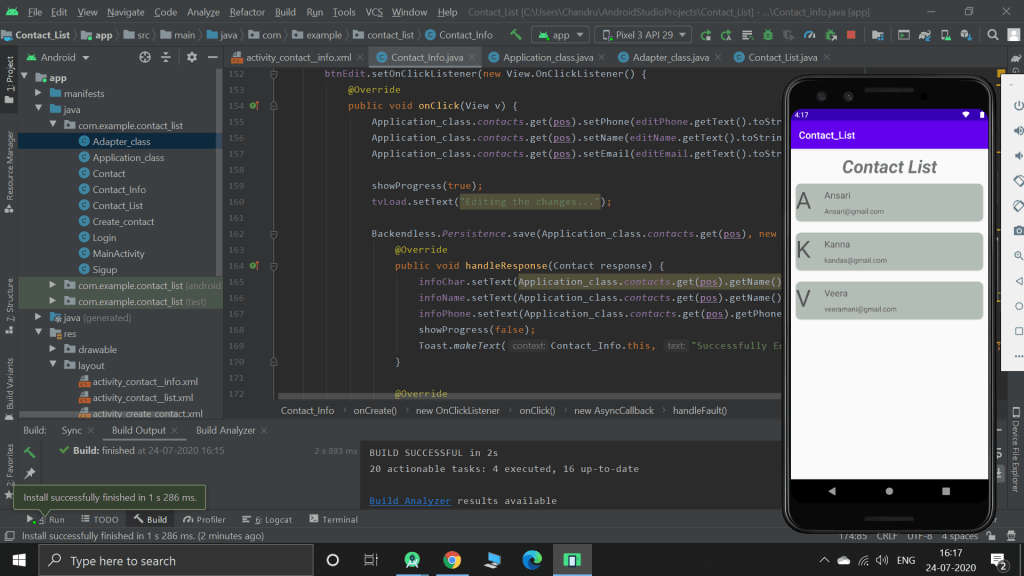
Previous time, while on learning, I used list view to display the list of contact. But for this time, I used Recycler view. When we click on any contact, it prompts to the new activity where you can make call or send email or delete or edit.
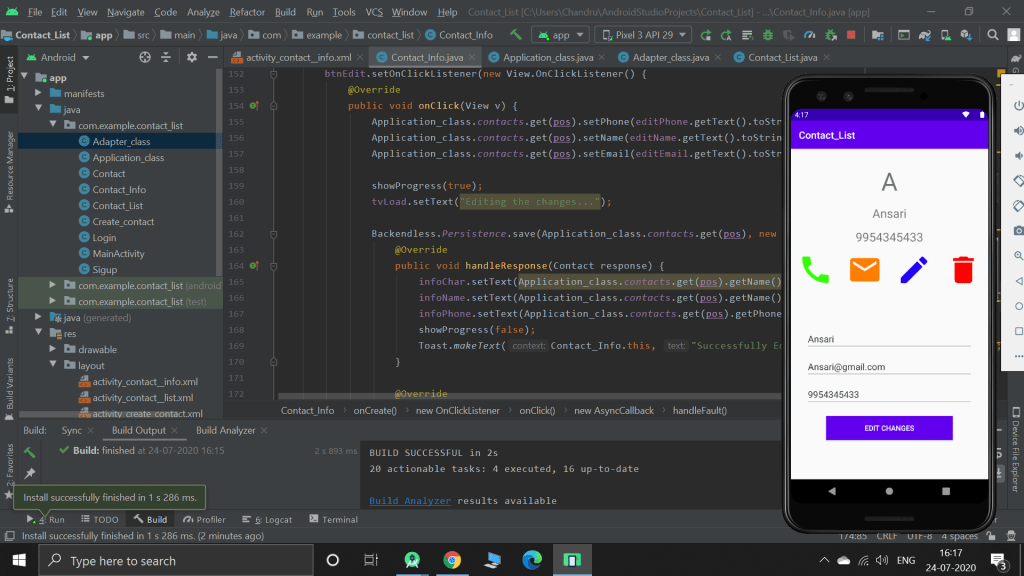
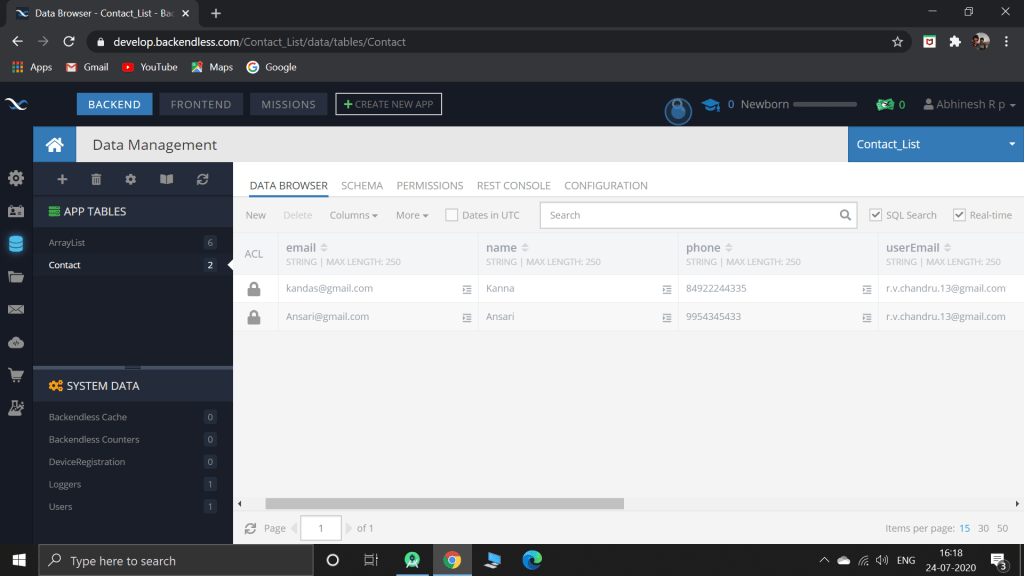
Every changes made in the app is reflected to the online database. So the contacts can be recovered even when the mobile is lost or reset.
Backendless for Data – Completed
Today, I just learnt how to edit and delete the data which is stored on the online database. By finishing it, I just completed the backendless topic and I built a simple, fully functioning contact app.
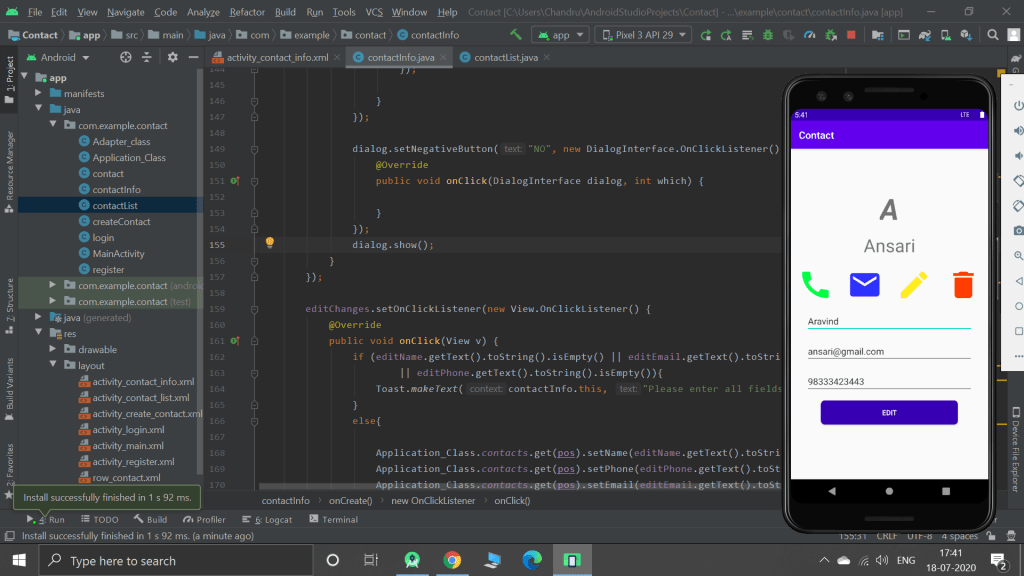
From the above picture, I changed the name Ansari to Aravind and clicked edit. The changes will be made, both in database as well as in the app.
Designing Layout
Today, I was designing the layout for my application. As I’m working on creating a contact application, I designed the info activity, which shows the information about the contact when the user clicks it.
Getting Data from Backendless
Today, I learn’t how to get the data which is stored in backendless website and display to the user. I used list view instead of recycler view for this app. but when I create an app for practicing, I will surely user recycler view as recycler view is the upgraded version of the list view.
 Chandru's blog